ダーク/ライトテーマを設定する
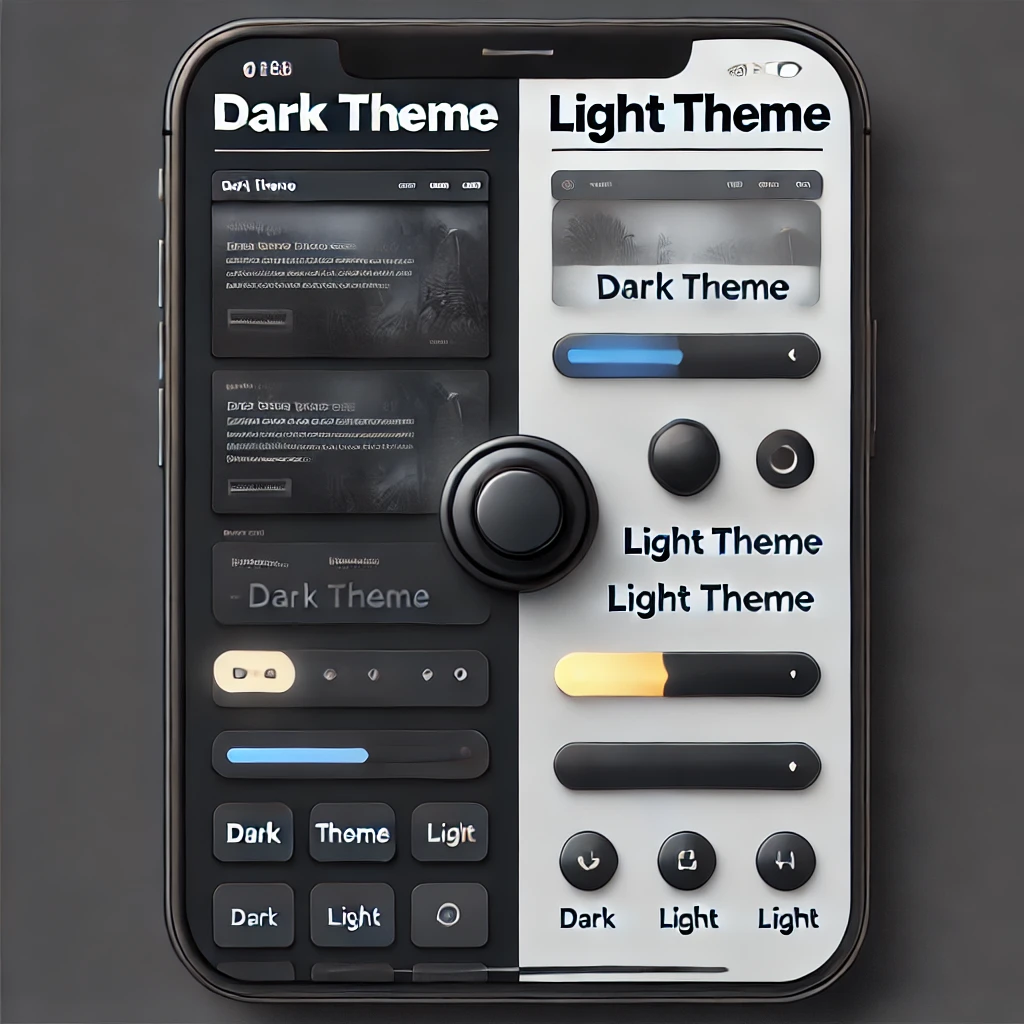
- 現在、このブログサイトを作成中だが、デザインの一貫性を持たせるため、テーマを設けて設定できるようにしたい。
- また昨今は、ダークテーマ/ライトテーマを設定可能となっているサイトも多くあるため、今回、合わせてこの設定を試みる。
- ダークモードは、目に優しいほか、パソコン・スマホのバッテリーにも優しい。
- ユーザの端末側で設定を持っている場合もあれば、サイトごとに設定できるようになっていたりする
- 例)CloudFlare の設定画面
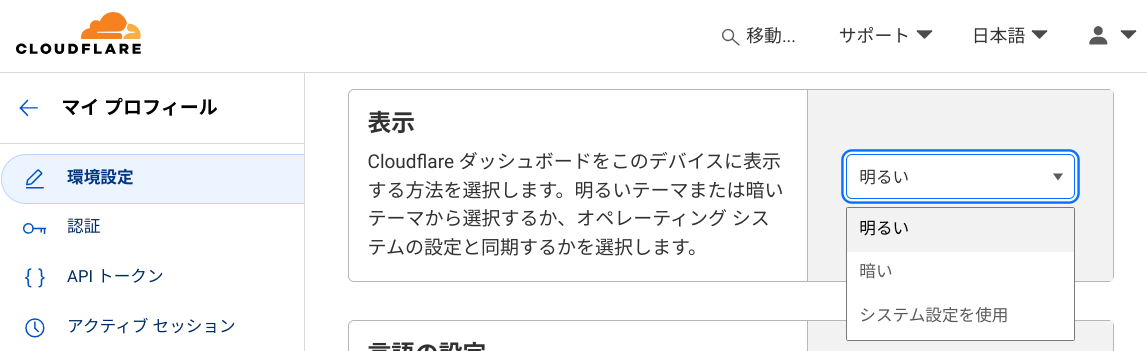
- 例)CloudFlare の設定画面
-
どこでテーマ(CSS)を設定するかだが、HonoX では、SSR と island の CSR が考えられる。ここではまず、SSR で設定することを考える。
- テーマの情報は、cookie に設定することで、SSR/CSR の両方で参照可能となる。
- とはいえ、当然ながら、クライアント側の設定はクライアントでないとわからない。このため、クライアント側のテーマ情報をサーバ側に送信する仕組みを設ける。
-
前提として、cookie に以下の情報を保持するものとする
- theme: テーマの情報
"light" | "dark" | undefined
- specified: テーマを明示的に指定するか。指定しない場合、クライアントのテーマを採用する
true | false | undefined
- theme: テーマの情報
-
クライアントからサーバへの初回アクセス
- 単純な URL でアクセスしてくることを想定するため、この段階でクライアントのテーマ情報は取得できない。
- theme:
undefined - specified:
undefined
- theme:
- 単純な URL でアクセスしてくることを想定するため、この段階でクライアントのテーマ情報は取得できない。
-
サーバから html が返されてくる
-
html と合わせて返される javascript の処理で、クライアント側のテーマとサーバ側のテーマ(初期は undefined)が一致するかを判定
-
この処理は、html の head タグ内に script として埋め込む
-
テーマが一致する、または、明示的な指定がある(specified:
true)場合- そのまま画面表示する
-
テーマが一致せず、かつ、明示的な指定がない(specified:
false)場合-
初回は必ずこの条件となる
-
サーバ側のテーマ情報送信用エンドポイントへ画面遷移させ、クエリパラメータでクライアントのテーマ情報、元の(表示中の)URL 情報を送信
- theme:
lightまたはdark - specified:
undefined
- theme:
-
サーバでは、受け取ったテーマ情報を cookie に設定のうえ、クライアントを元の URL へリダイレクトさせる指示を返す
-
クライアントはテーマ情報を cookie に保持した状態で、元の URL へアクセスする
-
サーバは変更後のテーマで SSR し、レスポンス。テーマが切り替わる。
-
-
-
island コンポーネントでもテーマを反映したい場合は、サーバで決定した css テーマを island コンポーネントへ引き渡せばよい
.
├── client.ts
├── components
│   ├── Header.tsx
│   ├── Layout.tsx
│   ├── mdxComponents
│   │   ├── AdjustedImg.tsx
│   │   ├── index.ts
│   │   ├── LinkedHeadings.tsx
│   │   └── StyledUl.tsx
│   ├── mdxStyles
│   │   └── codeSyntax.ts
│   ├── Menu.tsx
│   ├── Post.tsx
│   ├── ThemeSwitch.tsx     // ③ テーマ切替リンクの実装
│   └── Toc.tsx
├── global.d.ts
├── middleware
│   └── themeController.ts   // ① htmlヘッダへのscriptタグ埋め込み
├── routes
│   ├── _404.tsx
│   ├── _error.tsx
│   ├── index.tsx
│   ├── posts
│   │   ├── 20240923_darktheme.mdx
│   │   └── _renderer.tsx
│   ├── _renderer.tsx
│   └── theme.ts              // ② cookie設定エンドポイント
├── server.ts
├── theme
│   └── theme.ts              // ④ テーマデザインのCSS定義
└── types.ts- ページを返すエンドポイント全般に設定したいため、hono のミドルウェアとして実装する
- 通常のルータが返す html の文字列を加工し、head タグ部分に script タグを追加
import { getCookie } from "hono/cookie";
import { createMiddleware } from "hono/factory";

export const themeController = createMiddleware(async (c, next) => {
  await next();

  // レスポンスがHTMLでない場合は何もしない
  if (!c.res.headers.get("content-type")?.includes("text/html")) {
    return;
  }

  // レスポンスボディを取得
  let html = await c.res.text();

  // 追加するスクリプト
  const theme = getCookie(c, "theme") ?? "";
  const specified = getCookie(c, "specified") === "true";
  const url = c.req.url;

  const script = `
    <script>
      const theme = '${theme}';
      // クライアントのテーマを判定
      const isDarkMode = window.matchMedia('(prefers-color-scheme: dark)').matches;
      const clientTheme = isDarkMode ? 'dark' : 'light';
      // 明示的な指定が無い かつ テーマが異なる場合 … テーマを指定し、cookie設定エンドポイントへアクセス
      // また from として現在のurlを渡す
      if (${!specified} && theme !== clientTheme ) {
        window.location.href = '/theme?theme=' + clientTheme + '&specified=${specified}&from=' + encodeURIComponent('${url}');
      }
    </script>
  `;

  // </head>タグの直前にスクリプトを挿入
  html = html.replace("</head>", `${script}</head>`);

  c.res = c.html(html);
});- クライアントから、テーマ情報や明示指定の情報を受け取り(クエリパラメータ)、cookie に設定する
- 設定後、クライアントから from で渡される URL へリダイレクトするよう応答する
import { Hono } from "hono";
import { setCookie } from "hono/cookie";

export const themeRoute = new Hono().get("/", async (c) => {
  const theme = c.req.query("theme");
  const specified = c.req.query("specified");
  const from = c.req.query("from");

  setCookie(c, "specified", specified ?? "false");

  if (theme) {
    setCookie(c, "theme", theme);
  }

  return c.redirect(from ?? "/");
});- メニューに配置するテーマ切替リンクを用意
- 押下する毎に次のように変化させる
- 明示指定あり:ライト → 明示指定あり:ダーク → 明示指定なし
- リンク先は ② の cookie 設定エンドポイントを設定する
- この時も from として、現在の URL を指定
import { css } from "hono/css";
import { FC } from "hono/jsx";
import { Theme, getCssTheme } from "../../styles/theme";
import { useRequestContext } from "hono/jsx-renderer";
import { getCookie } from "hono/cookie";

type ThemeSwitchProps = {};

const ICON = { LIGHT: "LIGHT", DARK: "DARK", ENV: "ENV" } as const;
type ThemeSet = {
  icon: string;
  theme: Theme | undefined;
  specified: boolean;
};
const themeSets: { LIGHT: ThemeSet; DARK: ThemeSet; ENV: ThemeSet } = {
  LIGHT: { icon: ICON.LIGHT, theme: "light", specified: true },
  DARK: { icon: ICON.DARK, theme: "dark", specified: true },
  ENV: { icon: ICON.ENV, theme: undefined, specified: false },
} as const;

const ThemeSwitch: FC<ThemeSwitchProps> = () => {
  const cssTheme = getCssTheme();
  const c = useRequestContext();
  const theme = (getCookie(c, "theme") ?? "") === "dark" ? "dark" : "light";
  const specified = getCookie(c, "specified") === "true";
  const url = c.req.url;

  const getThemeState = (
    theme: Theme | undefined,
    specified: boolean
  ): { current: ThemeSet; next: ThemeSet } => {
    if (specified) {
      if (theme === "light") {
        return {
          current: themeSets.LIGHT,
          next: themeSets.DARK,
        };
      } else {
        return {
          current: themeSets.DARK,
          next: themeSets.ENV,
        };
      }
    } else {
      return {
        current: themeSets.ENV,
        next: themeSets.LIGHT,
      };
    }
  };

  const themeState = getThemeState(theme, specified);

  const cssThemeChangeLink = css`
    width: 30px;
    height: 30px;
    background-color: transparent;
    border-color: transparent;
    padding-block: 0px;
    padding-inline: 0px;
    font-size: 1em;
    color: ${cssTheme.fontPrimaryColor};
    display: flex;
    justify-content: center; /* 水平方向の中央揃え */
    align-items: center; /* 垂直方向の中央揃え */
  `;

  return (
    <div>
      <a
        href={
          "/theme?theme=" +
          themeState.next.theme +
          "&specified=" +
          themeState.next.specified +
          "&from=" +
          encodeURIComponent(url)
        }
        class={cssThemeChangeLink}
      >
        {themeState.current.icon}
      </a>
    </div>
  );
};

export default ThemeSwitch;- 指定されるテーマ情報に応じて、ライト/ダークのデザインセットを返す
- 各コンポーネント内で呼び出し、テーマに応じたデザインを css に反映することで、テーマに応じた表示を行う
import { getCookie } from "hono/cookie";
import { useRequestContext } from "hono/jsx-renderer";

export type CssTheme = {
  borderColor: string;
  bodyBgColor: string;
  contentBgColor: string;
  primaryBgColor: string;
  secondaryBgColor: string;
  subBgColor: string;
  fontColor: string;
  fontPrimaryColor: string;
};

const cssThemeLight: CssTheme = {
  borderColor: "whitesmoke",
  bodyBgColor: "ghostwhite",
  contentBgColor: "white",
  primaryBgColor: "#4fc2f7f8",
  secondaryBgColor: "#b4ebfc",
  subBgColor: "lightgray",
  fontColor: "black",
  fontPrimaryColor: "white",
};

const cssThemeDark: CssTheme = {
  borderColor: "gray",
  bodyBgColor: "black",
  contentBgColor: "#2e2e2e",
  primaryBgColor: "darkorange",
  secondaryBgColor: "maroon",
  subBgColor: "lightgray",
  fontColor: "lightgray",
  fontPrimaryColor: "white",
};

export type Theme = "light" | "dark" | undefined;

export const getCssTheme = (): CssTheme => {
  const c = useRequestContext();
  const theme = (getCookie(c, "theme") as Theme) ?? "light";

  if (theme === "dark") {
    return cssThemeDark;
  } else {
    return cssThemeLight;
  }
};- 各コンポーネントからは次のように使用
・・・
const cssTheme = getCssTheme();

const cssBody = css`
  ${cssCodeSyntax()}
  margin: 0px;
  width: 100%;
  background-color: ${cssTheme.bodyBgColor};
  font-family: "Segoe UI", Tahoma, Geneva, Verdana, sans-serif;
  color: ${cssTheme.fontColor};
  a {
    color: inherit;
  }
`;
・・・- コメント -
- 関連記事 -
- 記事検索 -
このサイトではcookieを利用して、サイト訪問者の識別に利用します。 cookieの利用に同意いただくことで、サイト訪問者は記事のいいね機能等をご利用いただけます。 なお、サイト運営者はアクセス統計としてcookieの情報を利用する場合があります。